
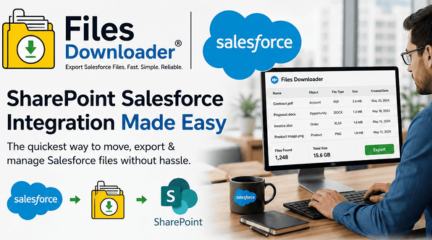
SharePoint Salesforce Integration: The Quickest Method for Moving, Exporting, and Managing Salesforce Files Without Hassle
Are you facing difficulties in implementing sharepoint salesforce integration? You are most probably experiencing the typical Salesforce file mess situation, characterized by ContentVersion records scattered across your database, file storage limitations that pop up like File Storage Limit Exceeded, and the frustrating download-everything-one-by-one process. This is precisely what makes file automation systems like Files Downloader come into play—implementing sharepoint salesforce integration is now made easy.
Why SharePoint Salesforce Integration Fails with Volume
Most companies go for sharepoint salesforce integration under the assumption that the process involves syncing the files from Salesforce Files with the corresponding SharePoint libraries. Unfortunately, there is no easy way to do that because Salesforce holds files in several objects such as ContentVersion, ContentDocument, and Attachment.
The major issues in sharepoint salesforce integration are:
- Absence of native bulk data migration functionality
- Loss of folder structure while manually exporting
- Restrictions while executing bulk SOQL Query Export via API
- Metadata conflicts during uploading files to SharePoint
- Increased load on storage capacity due to File Storage Limit Exceeded notifications
Integration Between SharePoint and Salesforce Using Files Downloader (A One-Click Process)
Files Downloader converts your sharepoint salesforce integration process into an easy and convenient administrative task rather than a technical one.
Bulk File Export for SharePoint Salesforce Integration with Files Downloader
You no longer need to write scripts or use complicated ETL processes when you can:
- Perform a bulk export of Salesforce files
- Extract the files straight from the ContentVersion object
- Ensure that records maintain their relationships and metadata information
- Keep original file names and format
Thus, sharepoint salesforce integration gets completed quickly.
Exporting Files Without Sacrificing the Folder Structure in SharePoint Salesforce Integration
A common mistake in sharepoint salesforce integration is exporting files without considering their structure. This can be avoided using the Files Downloader to keep:
- Folder structure
- File naming rules
- Object references
- Ownership details
- Record data
SharePoint Salesforce Integration and Data Integrity
When integrating sharepoint salesforce, it’s important that context is not lost. To guarantee this:
- The file ownership is not compromised
- Object references are kept intact
- Record references are maintained
- Original upload time is saved
This makes post-integration reports in Excel or SQL Server very easy.
Smart Filtering During SharePoint Salesforce Integration With SOQL Query Export
Conventional methods demand complete exports, but Files Downloader supports smart filtering through SOQL Query Export.
Salesforce SharePoint Integration With Smart File Extraction
With Files Downloader, you can:
- Filter files based on object types
- Extract only necessary attachments
- Execute customized queries on ContentVersion
- Prevent unnecessary data flooding
The ability to extract only relevant files is particularly beneficial when working with enterprise-level Salesforce SharePoint integration projects.
SharePoint Salesforce Integration for Admins & Data Teams
As opposed to migration tools that are inflexible, the Files Downloader works in actual Salesforce environment.
Advantages of SharePoint Salesforce Integration using Files Downloader:
- Works with standard and custom lists view
- Download files from standard & custom objects
- Compatible with PDFs, images, documents and all other files
- Very useful for conducting audits, migrations, backups etc.
- Eliminates the need to manually sort out files
- Gives instant access to filtered files
In this case, sharepoint salesforce integration for admins becomes easier and requires minimal dependence on developers.
Integration of SharePoint Salesforce for Clean Migrations and System Backup
Organizations utilize SharePoint Salesforce integration not only for data storage purposes but also for compliance purposes, backups, and system transfers. The Files Downloader allows:
- Efficient migration of data from Salesforce to SharePoint
- Effective backups for auditing purposes
- Smooth exports to archival systems
- Quick access to external document systems
This way, the integration of SharePoint Salesforce is made efficient not only during migration but also for the future.
Streamlining SharePoint Salesforce Integration Through Smart File Export
Among its most impressive benefits is the ability to make the process of sharepoint salesforce integration much less complicated.
Forget about trying to manage:
- Data Loader API code
- Manual exports
- ZIP file extraction mayhem
Files Downloader allows you to enjoy:
- Export directly from Salesforce interface
- Well-structured output designed for SharePoint
- Tidy datasets for analysis
SharePoint Salesforce Integration Without Storage Woes
Once Salesforce triggers the limit exceeded message, everyone jumps into action to clean up or migrate. Files Downloader solves this problem in that:
- Files are exported before being deleted
- Salesforce storage is freed up
- Files are transferred to SharePoint
- Business continuity is maintained
SharePoint Salesforce Integration for Improved Reporting & Analytics
Post-migration, most users will need to load the data into SQL servers or Excel for analysis. But when you use Files Downloader, sharepoint salesforce integration outputs are formatted for analysis. You can:
- Load into SQL databases
- Analyze usage patterns
- Track ownership of documents
- Create compliance reports
How to Make SharePoint Salesforce Integration Easy with Files Downloader
In conclusion about the business benefits:
- No coding needed
- No manual unzipping
- No folder hierarchy issues
- No metadata loss
- No reliance on intricate ETL pipelines
That’s how today’s administrators prefer Files Downloader for sharepoint salesforce integration.
Exterior Ecosystem Assistance to Integrate SharePoint & Salesforce
Integrate further via Salesforce ecosystem solutions:
- Discover additional file and transfer utilities in the Salesforce ecosystem from: [AppExchange]
- Check out the comparison of enterprise-level integration apps at: [AppExchange]
Upgrade Your SharePoint Salesforce Integration Process
If your team is still facing issues with exporting data manually, broken file structures, or file storage limits, it’s time for an upgrade to your SharePoint Salesforce integration workflow.
By using Files Downloader, you’ll get:
- One-click bulk exports
- Properly structured SharePoint files
- Preservation of metadata
- Efficient file migration
[Book a Free Demo] | [View Pricing] | [Install on AppExchange]
FAQ
Why am I unable to install the app from Salesforce AppExchange?
Setup → Quick Find → Salesforce Files → General Settings → Edit → Check “Skip triggers execution and validation rules on asset files” → Save
Is my data safe during sharepoint salesforce integration?
Absolutely. Files Downloader leverages secure Salesforce authentication and does not save any of your files externally during sharepoint salesforce integration processes.
Do you allow migration of only certain files during sharepoint salesforce integration?
Of course. Filter files by object, field, or SOQL queries.
Does sharepoint salesforce integration include metadata preservation?
Certainly. Owner, object, and record data remain intact.
Am I able to manage massive exports?
Definitely. The tool is optimized for bulk sharepoint salesforce integration with no performance drop.
Is it compatible with all Salesforce file types?
Yes. It supports PDFs, images, documents, and all ContentVersion files.



 8th The Green, STE R, Dover, DE 19901