
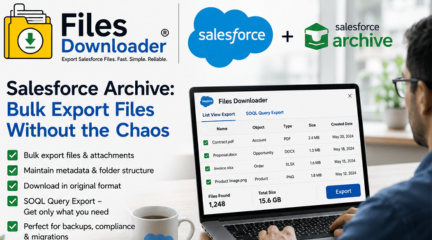
Salesforce Archive: Bulk Export Files Without the Chaos
When your Salesforce org contains countless files and attachments you can’t efficiently extract, then you know exactly what the true price is for a flawed Salesforce Archive system. Your files keep piling up. Storage limits inch closer to the maximum level. Then, when you need to extract all these records in order to move, migrate, or backup data, you find yourself struggling through menus manually extracting each file one by one. Files Downloader makes life easier. With File Downloader, you get to enjoy instant, metadata-preserving, bulk file export without writing any custom Apex code, or resorting to any third party solutions.
Why Your Salesforce Archive System Is Working Against You
What most Salesforce orgs lack isn’t necessarily a salesforce archive system. They simply lack proper access to their archive system.
“Zip File Scavenger Hunt”
Ask any administrator how a bulk Salesforce export would look without the appropriate software. They will tell you that they would end up with a mess of unidentified zip files, with no proper organization or file name retention and no association with the original record. A process that was supposed to take only ten minutes now becomes a two-day manual process.
Lack of Selective Filtering
With most Salesforce export applications, you either get all or nothing. It is impossible to export certain records based on your requirements without using third-party tools. If your salesforce archive includes several thousand files of various types stored within many different objects, this could become an insurmountable hurdle.
File Storage Limit Exceeded — The Forced Cleanup Dilemma
Upon receiving a File Storage Limit Exceeded message from Salesforce, administrators are forced to immediately remove unnecessary files. However, if your export application strips down metadata, corrupts the filename, or packages everything into unorganized zip files, the forced cleanup can do more harm than good.
How Does Files Downloader Improve Your Salesforce Archive Functionality?
Files Downloader is an app designed for Salesforce AppExchange that covers all the gaps in the native salesforce archive functionality. There are no complex setup steps required. There is no need to involve developers. Files Downloader allows you to perform seamless metadata exports of the data stored in the database.
Works with Any List View You Currently Have
Files Downloader may be integrated into your process along with all your standard and custom list views available now. Navigate to the list view, customize its filtering options by your criteria, and start bulk data export instantly without having to develop any additional software solution. You will get bulk data and attachments exports from all the list views of standard and custom objects.
Download Files in Their Original Format
While the native zip-dump option exports Salesforce files in a converted form, Files Downloader downloads files in the exact format they were uploaded. PDFs remain PDFs. Pictures retain their original extension (.jpg or .png). Word documents keep their .docx extension. There is no conversion, compression, or renaming with a random system ID.
It supports all types of files: PDFs, images (.jpg, .png), documents, spreadsheets, and many others. In case you need to upload Salesforce data to SQL Server or Excel after exporting from Salesforce, Files Downloader provides you with format consistency and saves you countless hours of post-export processing.
Maintain Metadata During Salesforce Archive Export
Every file exported by Files Downloader has:
- Original file name — precisely how it was stored in Salesforce, without any system-generated IDs
- File owner — who created the file and to which record it relates
- Object type — for easier mapping in your exported folders to your Salesforce database structure
That makes Files Downloader a must-have tool for migration, compliance audit, or backup purposes, when metadata preservation directly impacts the quality of the salesforce archive output.
SOQL Query Export Customization – Access Pertinent Data
As an administrator or power user who demands exactness in retrieving information from your salesforce archive, Files Downloader will give you access to a fully functional SOQL Query Export feature.
SOQL Query Export Process
Access the newest entries using your own unique SOQL query to retrieve data straight away in the app itself. Filter data according to its record type, creation date, owner, status, or any other custom criteria you may want to use. Download relevant entries directly and skip the step of extracting everything and sorting them afterwards.
This particular SOQL query export function is exceptionally helpful while handling entries in ContentVersion, where list view filters are inadequate for performing a proper salesforce archive task.
Target Only The Specific Objects And Fields – Leave the rest alone
Your Salesforce archives are divided into many different files. Irrespective of whether they are Accounts, Opportunities, Cases and even custom objects, your salesforce archive will contain all of them together. Using Files Downloader you have an option of downloading only those data objects and fields that you need so that your Opportunity files do not get muddled up with irrelevant Case files.
Designed Specifically for Salesforce Users
Files Downloader is not just a regular file management utility with Salesforce addon. This is an essential software utility which will enable Salesforce administrators to export the important salesforce files as per their actual needs.
- It is used by Salesforce administrators to download the files before getting hit with ‘File Storage Limit Exceeded’ errors.
- It assists data teams in exporting the files in a format compatible with SQL Server, Excel etc.
- It’s the perfect solution for Migration specialists for saving the original filename and directory information
- Excellent choice for Salesforce data exporting and management tasks – and also provides savings in terms of precious time thanks to its auto-sort feature for the exported data.
How Does Files Downloader Handle All Possible Scenarios in the Salesforce Archiving Process?
It doesn’t matter whether you need to perform your quarterly audit, migrate your whole organization, or work on some project where you have only 48 hours left until the deadline – you can be sure that Files Downloader will make your salesforce archiving process as smooth as possible. Export files complete with metadata. Stick to the same folder structure you had in Salesforce. Import files easily to Google Drive, SharePoint, SQL server, or any other staging location. Days-long routine will be reduced to just several minutes.
[Book a Free Demo] | [View Pricing] | [Install on AppExchange]
FAQ
Why am I unable to install the app from Salesforce AppExchange?
Setup → Quick Find → Salesforce Files → General Settings → Edit → Check “Skip triggers execution and validation rules on asset files” → Save
Is my data safe when exporting files?
Yes. Files Downloader runs fully within the security context of your Salesforce environment. It honors all current permission sets, profiles, and sharing settings. Your file data never passes through an outside server during the salesforce archive export process.
Does it support custom objects and custom file fields?
Definitely. Files Downloader supports both standard and custom objects. It is compatible with custom list views and custom ContentVersion relationships.
Can I perform a SOQL Query Export without being a developer?
Yes. The SOQL Query Export screen is made for administrators, not developers. Templates have been provided for the most frequently used salesforce archive operations.
Which types of files are supported?
All. From PDFs, image files (like .jpg, .png, and .gif), Word documents, Excel spreadsheets, CSV files, PowerPoints, to any other files that can be found under ContentVersion or Attachment in Salesforce.
Is it capable of processing large salesforce archive exports with lots of files?
Absolutely! With Files Downloader, you can process huge batches of files at once without breaking metadata, folder structure, and the original names.



 8th The Green, STE R, Dover, DE 19901